




Krosty Shop
Gift Cards
Back to Gift Cards
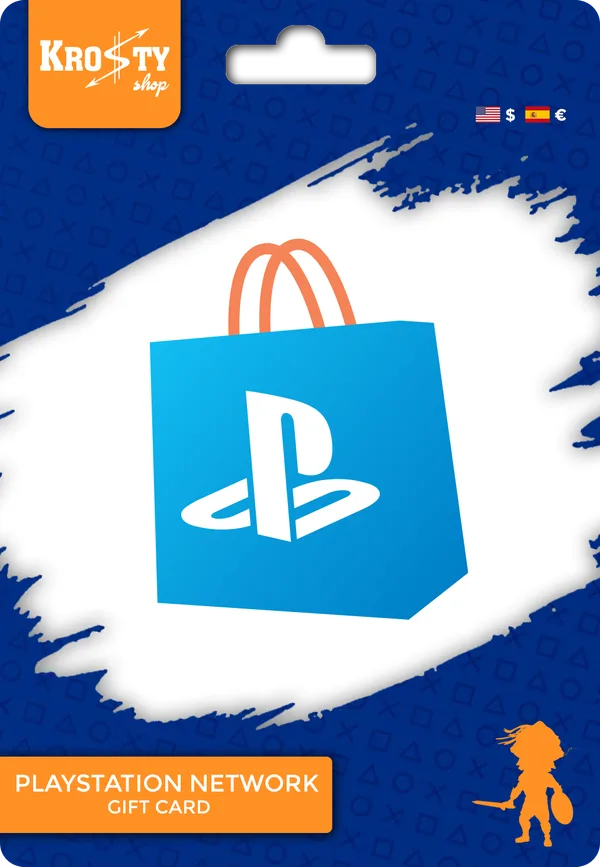
PlayStation Network Spain10 EUR

BUY GIFT CARDS > BUY PLAYSTATION NETWORK SPAIN

PLAYSTATION NETWORK SPAIN

Rate the PlayStation Network Spain service

Be the first to rate

Balance for the Spain PlayStation Store: games, add-ons, DLC, pre-orders and PlayStation Plus.

Only for PSN accounts set to the Spain region (EU).

SELECT THE AMOUNT:

GIFT CARD

AMOUNT
What region is my account?

Christmas deal · until February 2 · up to -14%

This is the final Christmas price: it doesn’t stack with coupons or VIP discounts. Use them on other products in the store.

PS Plus? See how much balance you need↓

PRICE

Christmas deal-13%13.07 USDTList price: 15.01 USDT

≈ Bs. 14,691.20

  • Fast, private and secure delivery
  • Delivered by email and saved in your order history on our site

You can pay with your Krosty balance: the payment is confirmed automatically, with no receipt.

5.0 · 2,197 reviews on GooglePay in bolívars (Pago Móvil or transfer) or with another of the methods available in the storeConformity guarantee: if the code arrives invalid, we replace it (tell us within 48 h with a video of the redemption)

REGION

Only for PSN accounts set to the Spain region (EU).

WHAT REGION IS YOUR PLAYSTATION ACCOUNT IN?

Before you buy, confirm your PSN account's current region — that tells you whether it already works or whether you need to create a new account. You can check it from your console, the app or the web.

From PS5 settings (the most accurate way)
  1. Turn on your console and go to "Settings" (the gear icon at the top right).
  2. Select "Users and Accounts".
  3. In the left-hand column open "Account", then select "Address" on the right.
  4. You may be asked for your password for security.
  5. There you will see your residence, city and the country/region your account is registered under.
From the PlayStation Store (PS5)
  1. Open the PlayStation Store from the home screen.
  2. Look for the three-dot (...) button in the store's top or side menu.
  3. Tap it and choose "Store Country": that shows your account's region.
From Account Management (PS4)
  1. From the home screen open "Settings" (the toolbox icon in the top bar).
  2. Select "Account Management".
  3. Open "Account Information". You may be asked for your password.
  4. Scroll down to "Address" (or Residence): that shows your account's country and region.
From the PlayStation Store (PS4)
  1. Open the PlayStation Store from the main menu.
  2. Scroll to the bottom of the left-hand menu and open "Help", or look for the three-dot (...) icon depending on your interface version.
  3. You can also check the "Profile" section inside the store to see which region you are operating in.
From the PlayStation App (mobile)
  1. Open the PlayStation App and go to "Settings" (the gear icon at the top right).
  2. Select "Account Information".
  3. Check the "Residential Address" section: that shows the registered country.
From a browser
  1. Go to the official PlayStation account management site and sign in.
  2. Go to "Your Information" and open "Residential Address".
  3. The country shown there is your account's region.
  • •Sony does not let you change a PSN account's country or region once it's created. If you need another region, the only option is to create a new account with the correct country — you can have several on the same console (see the guide below).
  • •Had trouble finding it? Message us on WhatsApp or Telegram and we will help you check it.
Official PlayStation guide

HOW TO REDEEM IT?

1. On your console or store.playstation.com → menu → Redeem Code.

2. Enter the 12-digit code.

3. The balance is loaded to your PSN wallet in euros.

You receive your official code by email, usually within minutes once your payment is confirmed, during support hours (8:00 a.m. to 12:00 a.m., Venezuela time). If it arrives invalid or already used, we replace it: tell us within 48 hours with your order number and a video of your first redemption attempt. After that period there is no replacement or refund.

CONDITIONS

  • •The account must be set to the Spain region (EU).
  • •Non-refundable and non-transferable.
  • •The wallet balance does not expire.

PlayStation Plus: which tier to pick and how much balance to top up

With a PlayStation Gift Card you load balance to your wallet and use that balance to pay for your PlayStation Plus yourself (to start or renew it), no credit card needed. Below we explain the differences between tiers and the official prices per region, so you buy exactly the balance you need.

THE 3 PLAYSTATION PLUS TIERS

Essential

The basics for playing online.

  • Online multiplayer gaming
  • 2–3 downloadable monthly games
  • Exclusive discounts in the Store
  • Cloud storage for your saved games

Extra

Essential plus a huge catalog to download.

Everything in Essential, plus:

  • Catalog of up to 400 downloadable PS4 and PS5 games

Deluxe / Premium

The most complete experience: classics and trials.

Everything in Extra, plus:

  • Classics catalog of PS1, PS2 and PSP games, plus original PS3 games streamed from the cloud
  • Time-limited trials of new releases

OFFICIAL PRICES BY REGION

These are the base prices of the plan (before taxes). Use them as a reference for how much balance to load.

Region / AccountEssentialExtraDeluxe / Premium
United StatesCurrency: USD
  • 1 month$10.99
  • 3 months$27.99
  • 12 months$79.99
  • 1 month$16.99
  • 3 months$43.99
  • 12 months$134.99
  • 1 month$19.99
  • 3 months$54.99
  • 12 months$159.99
Premium
Spainthis pageCurrency: EUR
  • 1 month8,99€
  • 3 months24,99€
  • 12 months71,99€
  • 1 month13,99€
  • 3 months39,99€
  • 12 months125,99€
  • 1 month16,99€
  • 3 months49,99€
  • 12 months151,99€
Premium
MexicoCurrency: MXN
  • 1 month149 MXN
  • 3 months399 MXN
  • 12 months1.120,18 MXN
  • 1 month229 MXN
  • 3 months659 MXN
  • 12 months1.861,34 MXN
  • 1 month279 MXN
  • 3 months759 MXN
  • 12 months2.154,35 MXN
Deluxe
ColombiaCurrency: USD
  • 1 month$6.99
  • 3 months$16.99
  • 12 months$54.99
  • 1 month$10.49
  • 3 months$27.99
  • 12 months$93.99
  • 1 month$11.99
  • 3 months$31.99
  • 12 months$106.99
Deluxe
ArgentinaCurrency: USD
  • 1 month$6.99
  • 3 months$16.99
  • 12 months$54.99
  • 1 month$10.49
  • 3 months$27.99
  • 12 months$93.99
  • 1 month$11.99
  • 3 months$31.99
  • 12 months$106.99
Deluxe

Deluxe vs. Premium: it is the same top tier. In LATAM (Mexico, Colombia, Argentina) it is called Deluxe and does not include cloud game streaming; in the USA and Spain it is called Premium and does include it.

BEFORE YOU BUY: REGION AND TAXES

The card region MUST match your account region

A USA gift card only works on PSN accounts created as USA; a Mexico one only on Mexico accounts, and so on for every region. Before buying, confirm which country your PlayStation account is registered in.

Watch out for taxes on USA accounts

When you buy digital content, PlayStation may charge you a tax based on your account's ZIP code. In some states, such as Texas, Washington or Pennsylvania, roughly 6% to 10% is added to the price. If your account has an address in one of those states, the card's exact balance will not be enough: buy a few extra dollars to cover that tax.

Good to know · Taxes depend on your address

If your USA account's address is in a state with no tax on digital purchases, PlayStation adds no tax to the plan. Some of those states are:

  • •Oregon — ZIP 97201
  • •Delaware — ZIP 19711

You can check or change the address under Settings → Account Management → Account Information → Address (PS4) or Settings → Users and Accounts → Account (PS5). With an address in one of those states, the card balance covers the plan's base price.

FREQUENTLY ASKED QUESTIONS

Can I use PlayStation Network Spain from Venezuela?

Yes: it is an official code you receive by email and redeem in your account. Keep the region in mind — Only for PSN accounts set to the Spain region (EU).

How do I know what region my PlayStation account is in?

On your PS5: Settings → Users and Accounts → Account → Address. On your PS4: Settings → Account Management → Account Information → Address. Sony does not let you change the region after the account is created, so if it does not match the card you want to buy, the only option is to create a new account — check the full guide above with every method (console, app and web).

How long does the code take to arrive?

You receive the official code by email, usually within minutes once the payment is confirmed, during business hours (8:00 a.m. to 12:00 a.m., Venezuela time).

How do I redeem the code?

On your console or store.playstation.com → menu → Redeem Code. Enter the code we sent you and the balance becomes available in your account.

How can I pay from Venezuela?

In bolívars (Pago Móvil or bank transfer), in cash foreign currency (deposit at the counter), with USDT (TRC20 or BEP20), Binance Pay, Zinli, Kontigo or OKX, or with your Krosty Wallet balance. No international card needed. You pick the method at checkout.

What if the code has a problem?

We replace it with an equivalent one if you let us know on WhatsApp or Telegram within 48 hours of delivery, with your order number and a continuous video of the first redemption attempt. Details in our Refund and Warranty Policy.

Overall rating for PlayStation Network Spain

No one has rated PlayStation Network Spain yet

Be the first: your opinion helps whoever is deciding.

PlayStation Network Spain reviews

Customers who already bought this gift card at Krosty Shop.

Google

Me parece totalmente recomendable, tienen unos precios que al verlos casi me desmayo, las recargas son rápidas, al fin pude conseguir las cosas que quería gracias a Krosty Shop.

Emanuel M.
Emanuel M.✓ verified· VE
Nov 15, 2026
Krosty Shop replied: ¡Jajaja qué buen comentario, Emanuel, muchísimas gracias! 😄🔥 Nos alegra un montón que nuestros precios y la rapidez de las recargas te hayan ayudado a conseguir por fin lo que querías. ¡Disfrútalo muchísimo y aquí estamos siempre a la orden en Krosty Shop! 🙌🎮

Google

Excelente servicio confiable, siempre hago la recarga con ellos son rápido excelente los recomiendo de hecho es muy rápido la atención ✨🙌🏽

Josmaiker H.
Josmaiker H.✓ verified· VE
Nov 23, 2026
Krosty Shop replied: ¡Hola, Josmaiker! Qué alegría leerte y saber que siempre confías en nosotros para tus recargas 🙌 Nos encanta que valores la rapidez en nuestra atención. ¡Muchísimas gracias por recomendarnos y siempre a tu orden! ✨
Google

Son excepcionales, los únicos en Venezuela con atención de alto nivel: rápida, confiable y siempre tienen fondos. Recomendados al 10.000%.

Jesús A.
Jesús A.✓ verified· VE
Nov 19, 2026
Krosty Shop replied: ¡Muchísimas gracias por recomendarnos al 10.000%, Jesús! Trabajamos todos los días para mantener esa atención rápida, confiable y con disponibilidad inmediata en Venezuela. ¡Un abrazo y siempre a tu orden!
Trustpilot

La atención fue rápida y el proceso del pago fue muy intuitivo gracias a los tutoriales que se incluyen en la página, muy recomendado.

Antonio E.
Antonio E.✓ verified· VE
Nov 14, 2026
Krosty Shop replied: ¡Hola, Antonio! Muchas gracias por tu recomendación y por destacar nuestros tutoriales 🙌 Qué bueno saber que el proceso te resultó rápido e intuitivo. Trabajamos cada día para hacer tus recargas más fáciles. ¡Te esperamos pronto en Krosty Shop! ✨
Google

Excelente Atención al Cliente, responden rápido y con educación y sin enredarte con tanta información. 100% recomendado KrostyShop. Cliente a partir de ahora.

Justin V.
Justin V.✓ verified· VE
Nov 19, 2026
Krosty Shop replied: ¡Bienvenido a la familia Krosty Shop y muchísimas gracias por tu reseña, Justin! Nos alegra un montón saber que te sentiste bien atendido, con respuestas rápidas, claras y directas al grano. ¡Qué gusto tenerte como cliente desde ahora, aquí estamos siempre a tu orden! 🙌🎮
Google

Hice mi compra en la página de Krosty y de verdad les quedó brutal. Es súper fácil de usar y todo se entiende perfecto, incluso para mí que no soy muy experta con estas cosas de tecnología. ¡Excelente todo, Rafa!

Carolym R.
Carolym R.✓ verified· VE
Nov 20, 2026
Krosty Shop replied: ¡Muchísimas gracias por tus palabras, Carolym! Qué alegría saber que nuestra página web te pareció súper fácil de usar y clara para hacer tu compra. Le haremos llegar tu saludo y felicitación a Rafa. ¡Siempre a tu orden en Krosty Shop!
Google

Fácil y sencillo, un servicio rápido y confiable, por primera vez podré comprarme juegos en Steam, lo recomiendo totalmente.

Tony53301
Tony53301✓ verified· VE
Nov 16, 2026
Krosty Shop replied: ¡Qué brutal leer eso, Tony, muchísimas gracias por tu reseña! 🎮🔥 Nos alegra un montón que con Krosty Shop por fin puedas comprarte tus juegos en Steam de forma fácil, rápida y segura. ¡Que los disfrutes muchísimo y aquí estamos siempre a la orden! 🙌
Google

Súper contenta de verdad con ustedes, son muy responsables y muy amables, de verdad que se los recomiendo a todos los que puedan leer mi reseña, súper confiables; si pudiera dar más estrellas se las daría.

Kine H.
Kine H.✓ verified· VE
Nov 17, 2026
Krosty Shop replied: ¡Muchísimas gracias de corazón por unas palabras tan bonitas, Kine! 🥰 Leer comentarios así nos motiva muchísimo a seguir dando lo mejor en cada atención. ¡Gracias por tu confianza y por recomendarnos, aquí tienes a tu equipo de Krosty Shop siempre a la orden! ❤️🙌

Bought from us?

Join over 12,410 customers who already bought from us. Your opinion helps other gamers.