



Krosty Shop
Gift Cards
Back to Gift Cards
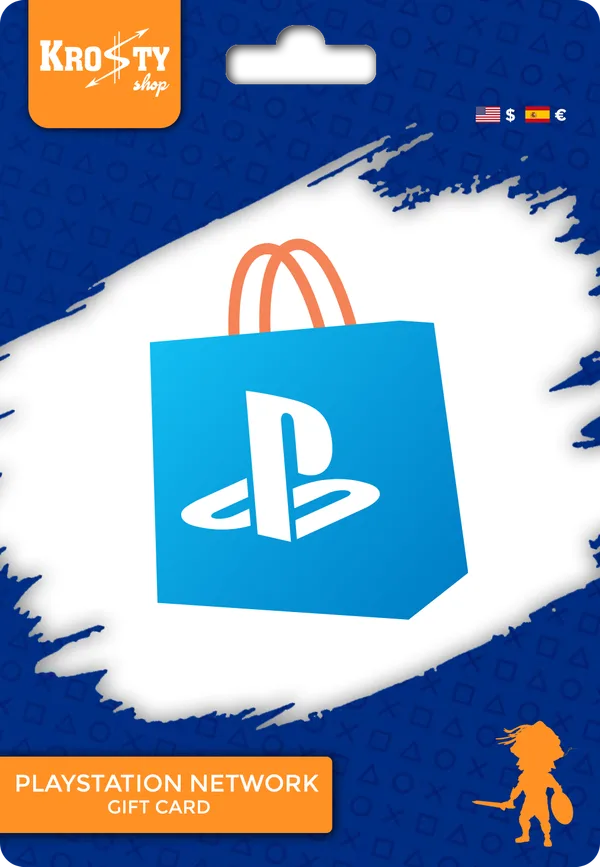
PlayStation Network USA10 USD

BUY GIFT CARDS > BUY PLAYSTATION NETWORK USA

PLAYSTATION NETWORK USA

Rate the PlayStation Network USA service

5.0 out of 5 · 23 reviews

Balance for the US PlayStation Store: games, add-ons, DLC, pre-orders and PlayStation Plus. Works the same on PS4 and PS5 with the same account.

Only for US PSN accounts (US region). Heads up: a PSN account's region is fixed forever the moment it's created and Sony offers no way to change it afterward — Venezuela doesn't even appear in PlayStation's country selector. If your account already exists and isn't from the US, the only option is to create a new account in that region (see the guide below).

SELECT THE AMOUNT:

GIFT CARD

AMOUNT
What region is my account?

Christmas deal · until February 2 · up to -14%

This is the final Christmas price: it doesn’t stack with coupons or VIP discounts. Use them on other products in the store.

PS Plus? See how much balance you need↓

PRICE

Christmas deal-14%11.21 USDTList price: 12.99 USDT

≈ Bs. 12,600.49

  • Fast, private and secure delivery
  • Delivered by email and saved in your order history on our site

You can pay with your Krosty balance: the payment is confirmed automatically, with no receipt.

5.0 · 2,197 reviews on GooglePay in bolívars (Pago Móvil or transfer) or with another of the methods available in the storeConformity guarantee: if the code arrives invalid, we replace it (tell us within 48 h with a video of the redemption)

REGION

Only for US PSN accounts (US region). Heads up: a PSN account's region is fixed forever the moment it's created and Sony offers no way to change it afterward — Venezuela doesn't even appear in PlayStation's country selector. If your account already exists and isn't from the US, the only option is to create a new account in that region (see the guide below).

WHAT REGION IS YOUR PLAYSTATION ACCOUNT IN?

Before you buy, confirm your PSN account's current region — that tells you whether it already works or whether you need to create a new account. You can check it from your console, the app or the web.

From PS5 settings (the most accurate way)
  1. Turn on your console and go to "Settings" (the gear icon at the top right).
  2. Select "Users and Accounts".
  3. In the left-hand column open "Account", then select "Address" on the right.
  4. You may be asked for your password for security.
  5. There you will see your residence, city and the country/region your account is registered under.
From the PlayStation Store (PS5)
  1. Open the PlayStation Store from the home screen.
  2. Look for the three-dot (...) button in the store's top or side menu.
  3. Tap it and choose "Store Country": that shows your account's region.
From Account Management (PS4)
  1. From the home screen open "Settings" (the toolbox icon in the top bar).
  2. Select "Account Management".
  3. Open "Account Information". You may be asked for your password.
  4. Scroll down to "Address" (or Residence): that shows your account's country and region.
From the PlayStation Store (PS4)
  1. Open the PlayStation Store from the main menu.
  2. Scroll to the bottom of the left-hand menu and open "Help", or look for the three-dot (...) icon depending on your interface version.
  3. You can also check the "Profile" section inside the store to see which region you are operating in.
From the PlayStation App (mobile)
  1. Open the PlayStation App and go to "Settings" (the gear icon at the top right).
  2. Select "Account Information".
  3. Check the "Residential Address" section: that shows the registered country.
From a browser
  1. Go to the official PlayStation account management site and sign in.
  2. Go to "Your Information" and open "Residential Address".
  3. The country shown there is your account's region.
  • •Sony does not let you change a PSN account's country or region once it's created. If you need another region, the only option is to create a new account with the correct country — you can have several on the same console (see the guide below).
  • •Had trouble finding it? Message us on WhatsApp or Telegram and we will help you check it.
Official PlayStation guide

YOUR PSN ACCOUNT'S REGION CAN'T BE CHANGED: HERE'S HOW TO CREATE A NEW ONE IN THE US

Unlike Apple, Xbox or Nintendo, Sony does NOT let you change the region of a PSN account after it's created — it's a permanent choice made at registration. If your account is not from the US, the only real option is to create a new account in that region (you can have several accounts on the same console).

BEFORE YOU START

  • !This is a NEW account, not a migration: it does not carry over your games, trophies or friends from your current account.
  • !You can have several PSN accounts on the same console (PS4/PS5) and choose which one to sign in with per game.
  • !Venezuela does not appear in the PlayStation country selector, so creating the account as United States is the normal path to a working PS Store from the country.
From your console (PS5)
  1. Profile menu → "Switch User" → "Add User".
  2. Choose "Get Started" → "Create an Account".
  3. Fill in the details and choose United States as the country when registering — that choice is fixed forever.
From your console (PS4)
  1. PS button → Power → "Switch User" → "New User".
  2. Choose "Create a User" and follow registration, choosing United States as the country.
From the web
  1. Go to PlayStation account management and choose "Create New Account".
  2. Fill in the details, selecting "United States" in the country/region field.
  3. Verify your email address to activate the account.
  • •Once created, that PSN account's region can never be changed again — double-check the country before confirming registration.
  • •Ran into trouble? Message us on WhatsApp or Telegram and we walk you through the process, free of charge.
Official PlayStation guide

HOW TO REDEEM IT?

1. On your console or store.playstation.com → menu → Redeem Code.

2. Enter the 12-digit code.

3. The balance is loaded to your PSN wallet instantly and works the same on PS4 and PS5.

You receive your official code by email, usually within minutes once your payment is confirmed, during support hours (8:00 a.m. to 12:00 a.m., Venezuela time). If it arrives invalid or already used, we replace it: tell us within 48 hours with your order number and a video of your first redemption attempt. After that period there is no replacement or refund.

CONDITIONS

  • •The account must be set to the US region: the code and account must match to activate.
  • •A PSN account's region is final from creation — Sony does not allow changing it afterward.
  • •Non-refundable and non-transferable.
  • •The wallet balance does not expire.

PlayStation Plus: which tier to pick and how much balance to top up

With a PlayStation Gift Card you load balance to your wallet and use that balance to pay for your PlayStation Plus yourself (to start or renew it), no credit card needed. Below we explain the differences between tiers and the official prices per region, so you buy exactly the balance you need.

THE 3 PLAYSTATION PLUS TIERS

Essential

The basics for playing online.

  • Online multiplayer gaming
  • 2–3 downloadable monthly games
  • Exclusive discounts in the Store
  • Cloud storage for your saved games

Extra

Essential plus a huge catalog to download.

Everything in Essential, plus:

  • Catalog of up to 400 downloadable PS4 and PS5 games

Deluxe / Premium

The most complete experience: classics and trials.

Everything in Extra, plus:

  • Classics catalog of PS1, PS2 and PSP games, plus original PS3 games streamed from the cloud
  • Time-limited trials of new releases

OFFICIAL PRICES BY REGION

These are the base prices of the plan (before taxes). Use them as a reference for how much balance to load.

Region / AccountEssentialExtraDeluxe / Premium
United Statesthis pageCurrency: USD
  • 1 month$10.99
  • 3 months$27.99
  • 12 months$79.99
  • 1 month$16.99
  • 3 months$43.99
  • 12 months$134.99
  • 1 month$19.99
  • 3 months$54.99
  • 12 months$159.99
Premium
SpainCurrency: EUR
  • 1 month8,99€
  • 3 months24,99€
  • 12 months71,99€
  • 1 month13,99€
  • 3 months39,99€
  • 12 months125,99€
  • 1 month16,99€
  • 3 months49,99€
  • 12 months151,99€
Premium
MexicoCurrency: MXN
  • 1 month149 MXN
  • 3 months399 MXN
  • 12 months1.120,18 MXN
  • 1 month229 MXN
  • 3 months659 MXN
  • 12 months1.861,34 MXN
  • 1 month279 MXN
  • 3 months759 MXN
  • 12 months2.154,35 MXN
Deluxe
ColombiaCurrency: USD
  • 1 month$6.99
  • 3 months$16.99
  • 12 months$54.99
  • 1 month$10.49
  • 3 months$27.99
  • 12 months$93.99
  • 1 month$11.99
  • 3 months$31.99
  • 12 months$106.99
Deluxe
ArgentinaCurrency: USD
  • 1 month$6.99
  • 3 months$16.99
  • 12 months$54.99
  • 1 month$10.49
  • 3 months$27.99
  • 12 months$93.99
  • 1 month$11.99
  • 3 months$31.99
  • 12 months$106.99
Deluxe

Deluxe vs. Premium: it is the same top tier. In LATAM (Mexico, Colombia, Argentina) it is called Deluxe and does not include cloud game streaming; in the USA and Spain it is called Premium and does include it.

BEFORE YOU BUY: REGION AND TAXES

The card region MUST match your account region

A USA gift card only works on PSN accounts created as USA; a Mexico one only on Mexico accounts, and so on for every region. Before buying, confirm which country your PlayStation account is registered in.

Watch out for taxes on USA accounts

When you buy digital content, PlayStation may charge you a tax based on your account's ZIP code. In some states, such as Texas, Washington or Pennsylvania, roughly 6% to 10% is added to the price. If your account has an address in one of those states, the card's exact balance will not be enough: buy a few extra dollars to cover that tax.

Good to know · Taxes depend on your address

If your USA account's address is in a state with no tax on digital purchases, PlayStation adds no tax to the plan. Some of those states are:

  • •Oregon — ZIP 97201
  • •Delaware — ZIP 19711

You can check or change the address under Settings → Account Management → Account Information → Address (PS4) or Settings → Users and Accounts → Account (PS5). With an address in one of those states, the card balance covers the plan's base price.

FREQUENTLY ASKED QUESTIONS

Can I use PlayStation Network USA from Venezuela?

Yes: it is an official code you receive by email and redeem in your account. Keep the region in mind — Only for US PSN accounts (US region). Heads up: a PSN account's region is fixed forever the moment it's created and Sony offers no way to change it afterward — Venezuela doesn't even appear in PlayStation's country selector. If your account already exists and isn't from the US, the only option is to create a new account in that region (see the guide below).

How do I know what region my PlayStation account is in?

On your PS5: Settings → Users and Accounts → Account → Address. On your PS4: Settings → Account Management → Account Information → Address. Sony does not let you change the region after the account is created, so if it does not match the card you want to buy, the only option is to create a new account — check the full guide above with every method (console, app and web).

How long does the code take to arrive?

You receive the official code by email, usually within minutes once the payment is confirmed, during business hours (8:00 a.m. to 12:00 a.m., Venezuela time).

How do I redeem the code?

On your console or store.playstation.com → menu → Redeem Code. Enter the code we sent you and the balance becomes available in your account.

How can I pay from Venezuela?

In bolívars (Pago Móvil or bank transfer), in cash foreign currency (deposit at the counter), with USDT (TRC20 or BEP20), Binance Pay, Zinli, Kontigo or OKX, or with your Krosty Wallet balance. No international card needed. You pick the method at checkout.

What if the code has a problem?

We replace it with an equivalent one if you let us know on WhatsApp or Telegram within 48 hours of delivery, with your order number and a continuous video of the first redemption attempt. Details in our Refund and Warranty Policy.

Overall rating for PlayStation Network USA

5.0

Based on 23 reviews

  • 5 23
  • 4 0
  • 3 0
  • 2 0
  • 1 0

PlayStation Network USA reviews

5.0(22)

Customers who already bought this gift card at Krosty Shop.

Google

Estaba como loco buscando tarjeta de regalo para GTA VI, y no me dejaron morir, son lo máximo.

Diego D.
Diego D.✓ verified· VE
Nov 19, 2026
Krosty Shop replied: ¡Jajaja qué buen comentario, Diego, muchísimas gracias! 😄🔥 Qué alegría haberte resuelto con tu tarjeta de regalo sin dejarte morir. ¡Disfrútala muchísimo y recuerda que en Krosty Shop estamos siempre a tu orden! 🙌🎮

✓ Krosty Shop

Excelente, adquirí una Gift Card en € para poder recargar Call Of Duty Warzone. Aunque hay que esperar unos 15 minutos el proceso es realmente rápido y legal. Mil bendiciones amigo Krosty.

Daniel U.
Daniel U.
StandardStandard· 1 purchase· Customer since Sep 2026
Sep 25, 2026
✓ Krosty Shop

Para ser la primera vez usando el servicio fue muy eficiente y rapido cosa que me sorprendió y me alegro,

PlayStation Network USA — $50
Luis Y.
Luis Y.✓ Verified purchase
StandardStandard· 1 purchase· Customer since Aug 2026
Oct 31, 2026
✓ Krosty Shop

excelente todo

Eduardo Z.
Eduardo Z.
StandardStandard· 9 purchases· Customer since Jul 2026
Oct 21, 2026
✓ Krosty Shop

Rápido y fácil. Bien explicada la pagina

PlayStation Network USA — $50
Luis F.
Luis F.✓ Verified purchase
StandardStandard· 1 purchase· Customer since Nov 2026
Nov 13, 2026
✓ Krosty Shop

Excelente, rápidos y atentos

PlayStation Network USA — $25
Ale
Ale✓ Verified purchase
StandardStandard· 1 purchase· Customer since Oct 2026
Nov 5, 2026
✓ Krosty Shop

Rápido y seguro.

PlayStation Network USA — $10
Gerardo G.
Gerardo G.✓ Verified purchase
StandardStandard· 3 purchases· Customer since Aug 2026
Nov 17, 2026
✓ Krosty Shop

Excelente y rápido

Benjamín M.
Benjamín M.
StandardStandard· 4 purchases· Customer since Jul 2026
Oct 25, 2026

Bought from us?

Join over 12,410 customers who already bought from us. Your opinion helps other gamers.