



✓ Krosty Shop
Muy buenos, cumplen con lo que ofrecen y entrega rápida😝👍🏻
verdechingamelavista✓ verified· Venezuela
Sep 12, 2026
Krosty Shop replied: Gracias de verdad
 5 USD
BUY GIFT CARDS > BUY XBOX GIFT CARDS
Rate the Xbox Gift Cards service
4.2 out of 5 · 5 reviews
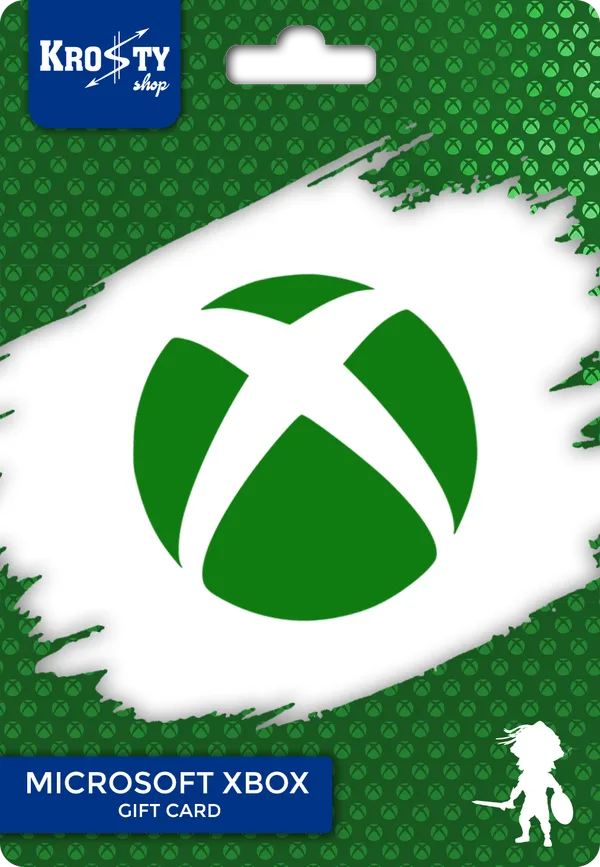
Balance for the Microsoft Store and Xbox (US): games, add-ons, apps and Game Pass.
For US Microsoft accounts (US region). Unlike PlayStation, Microsoft does let you change the region of an existing account (every 3 months, with balance at zero) — if yours isn't the US, you can change it yourself with the guide below.
SELECT THE AMOUNT:
GIFT CARD
Christmas deal · until February 2 · up to -25%
This is the final Christmas price: it doesn’t stack with coupons or VIP discounts. Use them on other products in the store.
PRICE
≈ Bs. 6,744.24
You can pay with your Krosty balance: the payment is confirmed automatically, with no receipt.
5.0 · 2,197 reviews on Google
 Pay in bolívars (Pago Móvil or transfer) or with another of the methods available in the storeConformity guarantee: if the code arrives invalid, we replace it (tell us within 48 h with a video of the redemption)
For US Microsoft accounts (US region). Unlike PlayStation, Microsoft does let you change the region of an existing account (every 3 months, with balance at zero) — if yours isn't the US, you can change it yourself with the guide below.
US Xbox cards only redeem if your Microsoft account is set to that region. Unlike PlayStation, Microsoft does let you change the region of an existing account — you can do it yourself from the web, your console, or Windows.
BEFORE YOU START
1. On Xbox or microsoft.com/redeem, sign in.
2. Enter the 25-character code.
3. The balance is credited to your Microsoft account instantly.
You receive your official code by email, usually within minutes once your payment is confirmed, during support hours (8:00 a.m. to 12:00 a.m., Venezuela time). If it arrives invalid or already used, we replace it: tell us within 48 hours with your order number and a video of your first redemption attempt. After that period there is no replacement or refund.
Yes: it is an official code you receive by email and redeem in your account. Keep the region in mind — For US Microsoft accounts (US region). Unlike PlayStation, Microsoft does let you change the region of an existing account (every 3 months, with balance at zero) — if yours isn't the US, you can change it yourself with the guide below.
You receive the official code by email, usually within minutes once the payment is confirmed, during business hours (8:00 a.m. to 12:00 a.m., Venezuela time).
On Xbox or microsoft.com/redeem, sign in. Enter the code we sent you and the balance becomes available in your account.
In bolívars (Pago Móvil or bank transfer), in cash foreign currency (deposit at the counter), with USDT (TRC20 or BEP20), Binance Pay, Zinli, Kontigo or OKX, or with your Krosty Wallet balance. No international card needed. You pick the method at checkout.
We replace it with an equivalent one if you let us know on WhatsApp or Telegram within 48 hours of delivery, with your order number and a continuous video of the first redemption attempt. Details in our Refund and Warranty Policy.
4.2
Based on 5 reviews
Customers who already bought this gift card at Krosty Shop.
Muy buenos, cumplen con lo que ofrecen y entrega rápida😝👍🏻
Excelente, muy fácil y rápido, recomendado
Nunca pude canjearlo.

 Standard· 3 purchases· Customer since Sep 2026
Calificó Xbox con 5 estrellas.

 VIP· 5 purchases· Customer since Oct 2026
Calificó Xbox Gift Cards con 5 estrellas.
 Standard· 2 purchases· Customer since Oct 2026
Me parece totalmente recomendable, tienen unos precios que al verlos casi me desmayo, las recargas son rápidas, al fin pude conseguir las cosas que quería gracias a Krosty Shop.

Excelente servicio confiable, siempre hago la recarga con ellos son rápido excelente los recomiendo de hecho es muy rápido la atención ✨🙌🏽
Son excepcionales, los únicos en Venezuela con atención de alto nivel: rápida, confiable y siempre tienen fondos. Recomendados al 10.000%.

Join over 12,410 customers who already bought from us. Your opinion helps other gamers.