





✓ Krosty Shop
Excelente todo bien
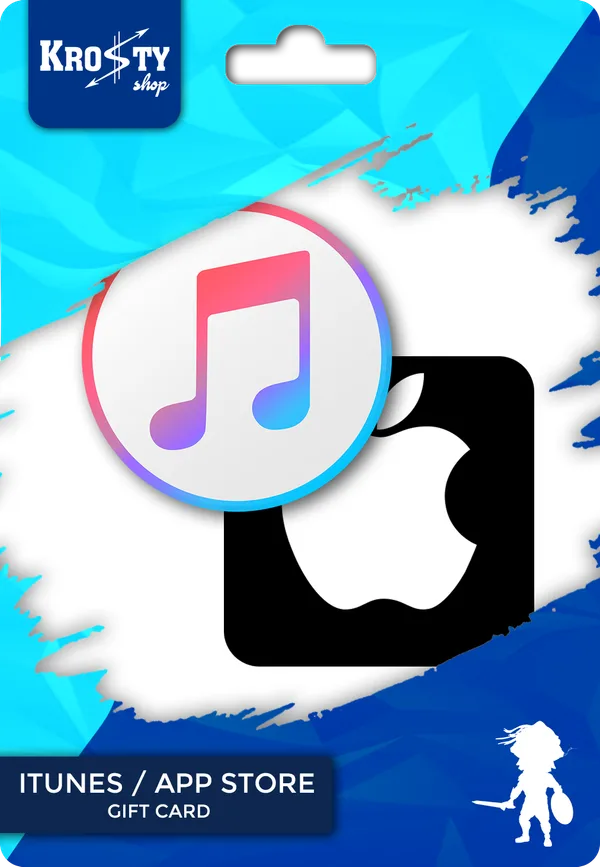
Apple Gift Card USA — $5

Pedro H.✓ Verified purchase
 Standard· 1 purchase· Customer since Oct 2026
Oct 29, 2026
 5 USD
BUY GIFT CARDS > BUY APPLE GIFT CARDS
Rate the Apple Gift Cards service
5.0 out of 5 · 24 reviews
Official Apple balance: App Store, iTunes, iCloud+, Apple Music, Apple TV, Apple Arcade, Apple Books, Fitness+, products at US Apple stores, and third-party app subscriptions billed through the App Store (for example, Dropbox).
Only works with US Apple Accounts and US Apple stores (US region). There is a Venezuelan App Store, but Apple sells no gift cards for it: there you pay with a Venezuelan bank card in foreign currency. That's why, if you want to pay for apps and subscriptions with balance, the practical way is to set your Apple Account to the US region.
SELECT THE AMOUNT:
GIFT CARD
Christmas deal · until February 2 · up to -16%
This is the final Christmas price: it doesn’t stack with coupons or VIP discounts. Use them on other products in the store.
PRICE
≈ Bs. 8,295.42
You can pay with your Krosty balance: the payment is confirmed automatically, with no receipt.
5.0 · 2,197 reviews on Google

 Pay in bolívars (Pago Móvil or transfer) or with another of the methods available in the storeConformity guarantee: if the code arrives invalid, we replace it (tell us within 48 h with a video of the redemption)
Only works with US Apple Accounts and US Apple stores (US region). There is a Venezuelan App Store, but Apple sells no gift cards for it: there you pay with a Venezuelan bank card in foreign currency. That's why, if you want to pay for apps and subscriptions with balance, the practical way is to set your Apple Account to the US region.
The Apple Gift Card can only be redeemed if your Apple account is in the United States region. You can change it yourself from your phone, from the web or from a PC with iTunes — it is the same change, pick whichever is most convenient.
BEFORE YOU START
1. Open App Store → your profile photo → Redeem Gift Card or Code (or apple.com/redeem).
2. Enter the code you receive by email.
3. The balance is credited to your Apple Account for apps, subscriptions and purchases.
You receive your official code by email, usually within minutes once your payment is confirmed, during support hours (8:00 a.m. to 12:00 a.m., Venezuela time). If it arrives invalid or already used, we replace it: tell us within 48 hours with your order number and a video of your first redemption attempt. After that period there is no replacement or refund.
Yes, with one condition: your Apple Account must be set to the US region. It is official Apple balance for the App Store, iCloud+, Apple Music, Apple TV and more.
You receive the official code by email, usually within minutes once the payment is confirmed.
Open the App Store → your profile picture → "Redeem Gift Card or Code" (or apple.com/redeem) and enter the code. The balance is credited to your Apple Account instantly.
For apps and games, subscriptions (Apple Music, iCloud+, Apple TV, Apple Arcade), Apple Books and purchases on the US App Store.
In bolívars (Pago Móvil or bank transfer), in cash foreign currency (deposit at the counter), with USDT (TRC20 or BEP20), Binance Pay, Zinli, Kontigo or OKX, or with your Krosty Wallet balance. No international card needed. You pick the method at checkout.
5.0
Based on 24 reviews
Customers who already bought this gift card at Krosty Shop.
Excelente todo bien
Standard· 1 purchase· Customer since Oct 2026Súper rápido y sencillo excelente servicio

 VIP· 4 purchases· Customer since Oct 2026
¡Super! Rápidos y eficientes ✨🫶🏻
 Standard· 1 purchase· Customer since Nov 2026
100% recomendado. Todo muy práctico
Brutal… rápido, sencillo seguro y confiable

Calificó Apple Gift Cards con 5 estrellas.
 VIP· 7 purchases· Customer since Nov 2026
Calificó Apple Gift Cards con 5 estrellas.
 Standard· 4 purchases· Customer since Nov 2026
Calificó Apple Gift Cards con 5 estrellas.
 Standard· 1 purchase· Customer since Nov 2026
Join over 12,410 customers who already bought from us. Your opinion helps other gamers.